
Who Invented Microsoft Excel?

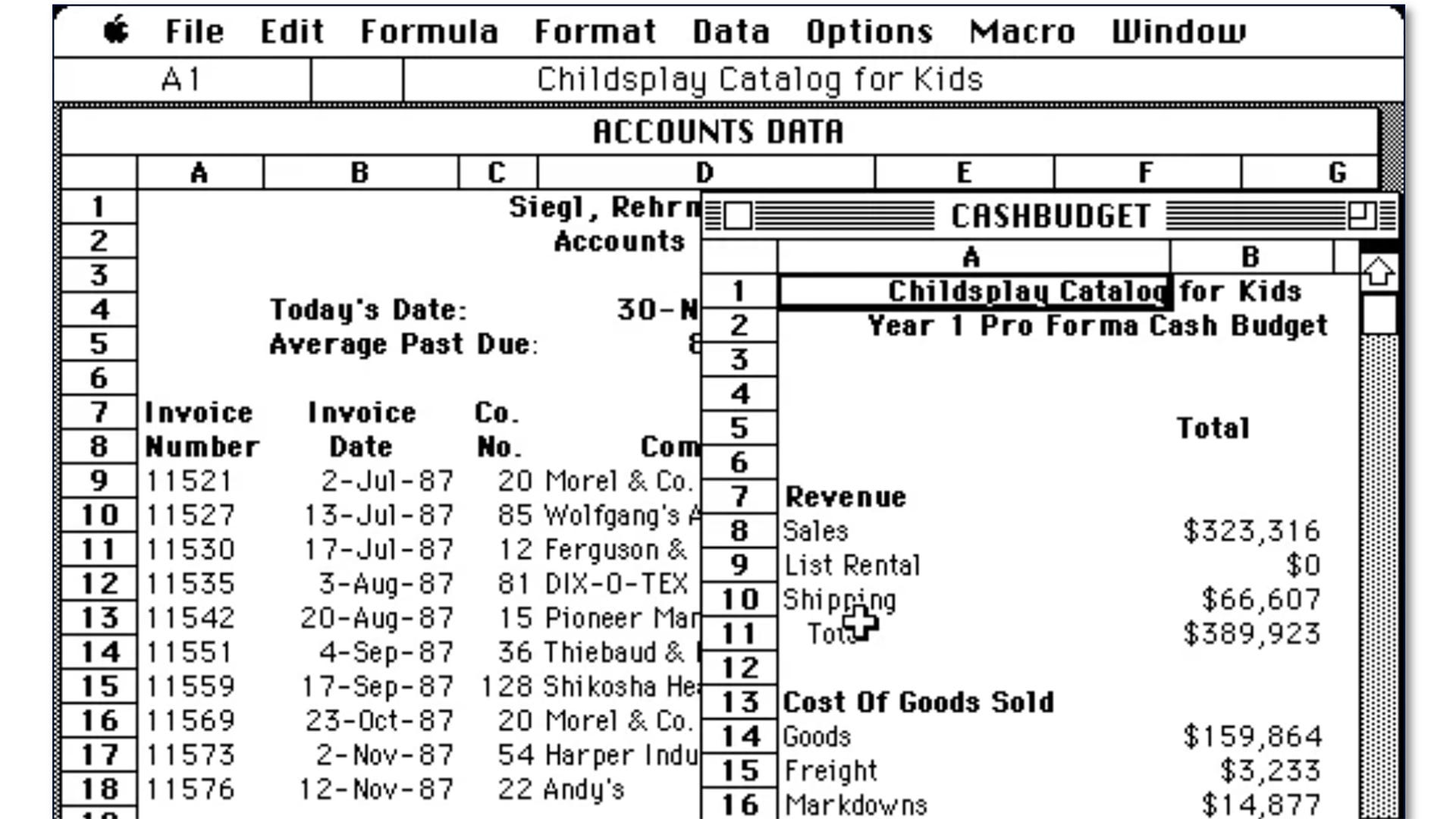
For the past 40 years, Microsoft Excel’s versatility and backwards compatibility have made it the most commonly used application on a variety of computing devices.
Introduced in 1985, Excel represents the efforts of a team, headed by project lead Jabe Blumenthal and lead developer Doug Klunder, who offered improvements over existing spreadsheet applications.
Excel is popular because it offers a versatile way to analyze, sort, and display numerical, visual, and text-based data. Want to create an alphabetized list? A daily schedule? To track revenue, inventory, or prices? To forecast sales trends in different markets? Excel’s your tool.
Excel also democratized access to data that, 45 years ago, was available only to senior executives and the mainframe programmers who supported them. Excel made data available to anyone with the right permissions and gave them the flexibility to manipulate that information to unlock new insights.
Early Electronic Spreadsheets
The first commercial spreadsheet program, VisiCalc, was developed by Harvard Business School student Dan Bricklin and programmer Bob Frankston. Bricklin wanted a tool to automate calculations he needed for case studies, and he built a grid-based electronic version of physical ledger sheets.
VisiCalc was a hit that boosted sales of personal computers to businesses and accountants eager to automate the calculations they performed every day.
The next market leader, Lotus 1-2-3, was released in 1983. Lotus overtook VisiCalc with more powerful features that included integrated charting, cell ranges, and basic database functions.
Those programs, like Microsoft’s Multiplan spreadsheet, were text-based and relied on keyboard navigation.
By 1985, at least 10 companies were offering spreadsheet programs, with most of those companies suing and counter-suing each other over features they were harvesting from competing products. This crowded marketplace was ready for a new leader to emerge. And that would prove to be Excel.
Enter Excel
The Microsoft team began developing Excel in 1984 for IBM PCs but realized quickly that Apple’s Mac computers featured a graphical user interface that offered a number of usability advantages. The PC project was abandoned and the Mac-specific version of Excel was introduced on September 30, 1985.
Unlike other spreadsheets of the era, Excel offered mouse support and point-and-click functionality that made the software easier for business users to work with than its competitors.
Excel also offered performance advantages, including “intelligent recalc.” Unique at the time, this feature meant changes to data or formulas would only produce calculations in the affected cells (instead of the entire spreadsheet). This sped performance on the comparatively slow computers of the mid-to-late 1980s.
In addition, Excel offered more programmability and automation features than its competitors. By using macros and, later, Visual Basic tools, users could automate calculations and create complex models and applications within Excel.
Microsoft released Excel for Windows in 1987. When Windows 3.0 was released in 1990, Excel’s adoption accelerated and the program achieved market leadership it never surrendered.
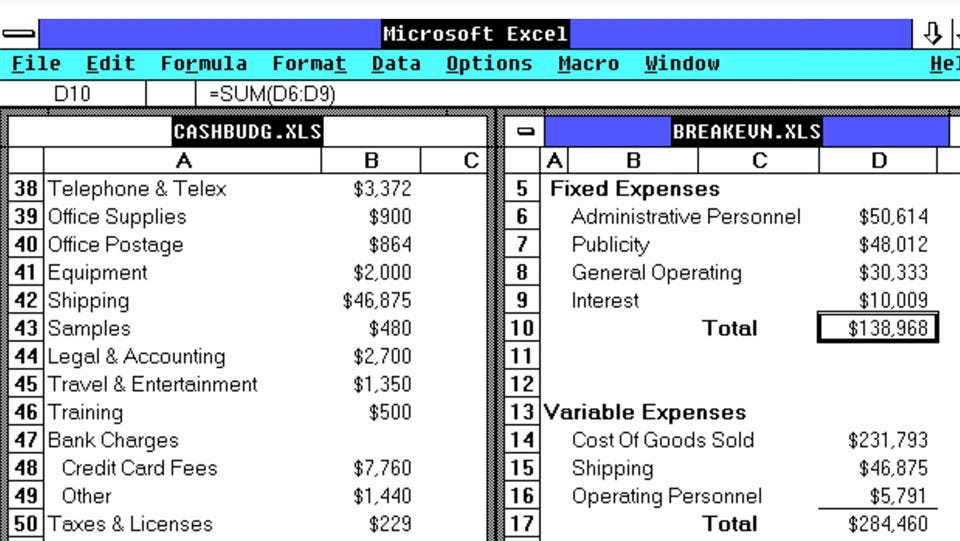
Excel’s versatility today includes 476 built-in functions including data summarization tools such as PivotTables, Sparklines, and conditional formatting that allows users to highlight trends and anomalies at a glance.
After Excel found commercial success, lead developer Doug Klunder left Microsoft and became an attorney advocating on consumer privacy issues. Project lead Jabe Blumenthal became a science teacher and an environmental activist.
Backwards Compatibility
Perhaps the largest factor driving Excel’s enduring popularity is the time and effort Microsoft devoted to ensuring backwards compatibility with spreadsheets created in earlier versions of the software.
Users can open decades-old spreadsheets with confidence, and code dating back to the 1980s remains in Excel today.
This offers powerful advantages for companies that rely on elaborate, customized spreadsheets to run their operations and understand their performance. They know they can upgrade to a new version of Excel without having to recreate complex work.
They also know they can collaborate with users in different departments or organizations smoothly, even if they’re using different versions or competing programs such as Google Sheets or Apple’s Numbers.
As another sign of Excel’s market leadership, I had to look up the name of Apple’s spreadsheet program despite being a Mac user for nearly 20 years. Granted, my spreadsheet needs are almost laughingly basic compared to my CPA and consultant friends, but it’s nice to know Excel could support pretty much any need we can think of.